Mi aplicación favorita
Gran aplicación, fácil de usar. Ayuda a nuestra pequeña empresa a ahorrar tiempo y dinero para crear diferentes materiales de marketing de forma profesional. Gracias.
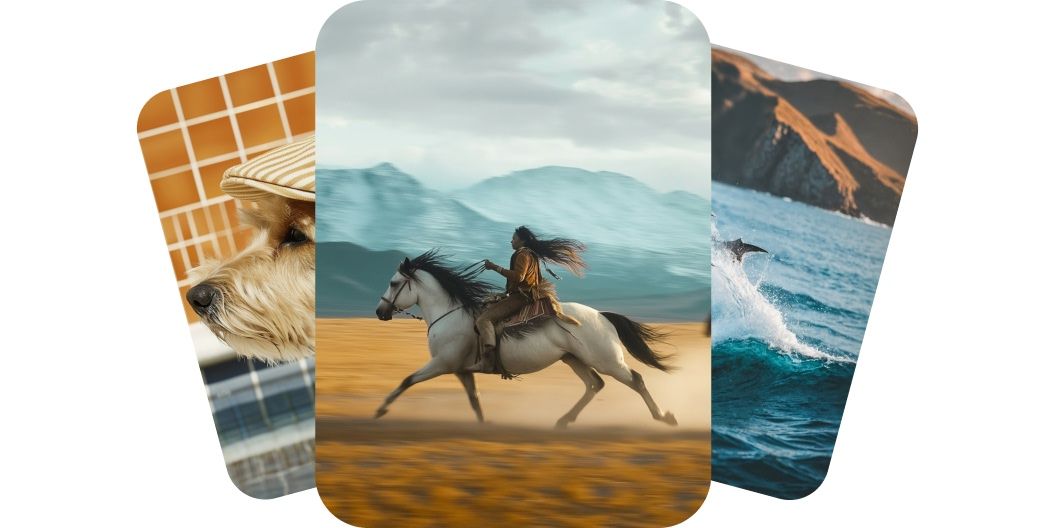
Crea videos de gran calidad a partir de prompts de texto o de imágenes con Kling AI en Pixelcut. Elige entre los mejores modelos y genera clips cinematográficos en minutos.
Kling AI hace que tus videos se vean como si los hubiera grabado un profesional. Cada movimiento fluye, cada detalle se mantiene nítido y cada fotograma avanza como una escena real. Los personajes se sienten firmes, los objetos se comportan con naturalidad y la cámara se desliza sin cortes. Ya sea que cuentes una historia o presentes un producto, el resultado se ve pulido y profesional. Crea videos cinematográficos que llaman la atención sin tomar una cámara.
Kling AI te da el control completo sin complicaciones y deja que armes cada video a tu manera. Con varios modelos para elegir, puedes describir la escena con texto o subir una imagen que guíe el primer fotograma. El video sigue tu dirección creativa con movimientos suaves y una imagen expresiva. No hay línea de tiempo, ni herramientas, ni conocimientos de edición de por medio. Toma las riendas de tu historia y dale forma a lo que imaginas.
Kling entrega videos de gran calidad, con movimiento fluido y mucho detalle, en cuestión de minutos. Elige los modelos Standard, que renderizan rápido, o pasa a los modelos Pro y Master para obtener resultados en 1080p. Cada clip queda listo para compartir, con formatos ya incluidos para panorámico, vertical o cuadrado. Obtienes un resultado de estudio sin horas de edición ni equipo pesado. La mayoría de los videos de cinco segundos se generan en pocos minutos, así que puedes crear, ajustar y publicar de una sola sentada. Haz videos de nivel profesional más rápido que nunca.
Pixelcut reúne todos los modelos de Kling AI que necesitas, desde los potentes motores 2.1 hasta los flexibles modelos 1.6. Si buscas velocidad, fidelidad o un punto intermedio, hay una versión que se ajusta a lo que necesitas. Usa los modelos Master y Pro para una calidad cinematográfica o quédate con los Standard para avanzar rápido e iterar seguido. Los modelos nuevos se suman en cuanto salen, así tu caja de herramientas se mantiene al día. Ten a la mano todo el catálogo y no te quedes atrás.
Para texto a video, describe en el cuadro de prompt lo que quieres ver. Para imagen a video, primero sube una imagen e indícale a la IA qué hacer con ella.
Cuando tengas listo tu prompt, genera el video con el botón de enviar. El modelo Kling 2.1 Master viene seleccionado de forma predeterminada.
Mira la vista previa y ajusta tu prompt hasta que quede como quieres. También puedes probar otros modelos de Kling AI para obtener resultados distintos.
Descarga tu nuevo video a tu dispositivo. Queda listo para publicarlo en redes sociales, compartirlo con tu equipo o usarlo en el proyecto que quieras.
Comienza a crear gratis. Actualiza para obtener más créditos y funciones.














Gran aplicación, fácil de usar. Ayuda a nuestra pequeña empresa a ahorrar tiempo y dinero para crear diferentes materiales de marketing de forma profesional. Gracias.
Necesito un buen eliminador de fondo para mi trabajo y he probado todos, parece. Este es el mejor con diferencia. Es muy fácil de usar y los resultados siempre lucen increíbles. ¡Gracias Pixelcut!
Es increíblemente fácil y da resultados perfectos para mis bolsos y accesorios. Parece que lo hizo un fotógrafo profesional.