Aplikasi favorit saya
Aplikasi bagus, mudah digunakan. Membantu bisnis kecil kami menghemat waktu dan uang untuk membuat materi pemasaran yang berbeda secara profesional. Terima kasih.
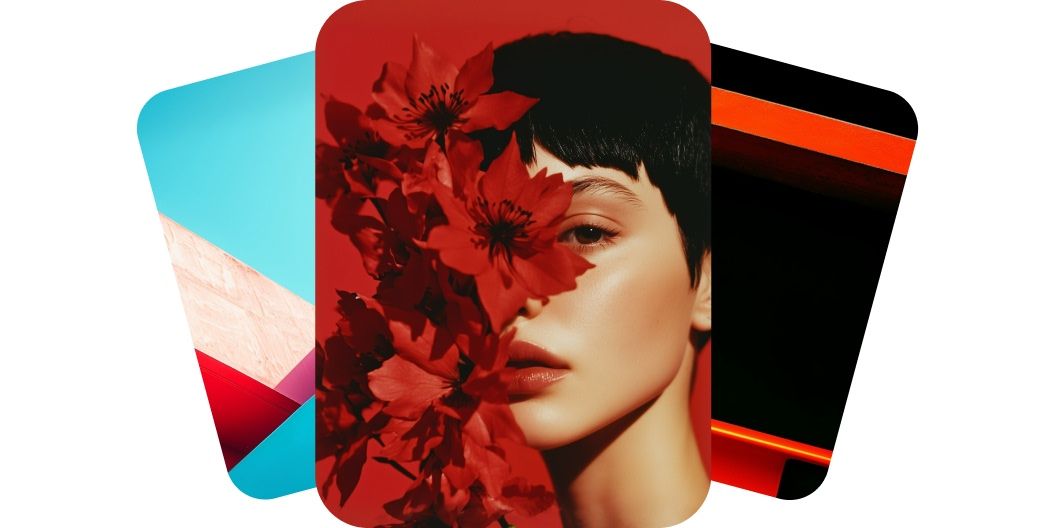
Buat video resolusi tinggi dari teks hanya dalam hitungan menit. Generator teks menjadi video dari Pixelcut memakai AI untuk menghasilkan video yang kaya detail dan terasa nyata.
Generator teks menjadi video dari Pixelcut dibuat untuk semua orang, dari pemula sampai kreator berpengalaman. Tampilannya bersih dan sederhana, jadi Anda hanya perlu satu deskripsi teks untuk menghasilkan video berkualitas profesional. Tidak perlu keahlian teknis atau pengalaman mengedit video. Pelaku usaha, pemasar, bahkan gamer bisa langsung masuk dan membuat video yang menarik dalam hitungan menit. Jelaskan adegan yang ingin Anda lihat, lalu saksikan imajinasi Anda hidup tepat di depan mata.
Buat video sinematik beresolusi tinggi yang benar-benar membuat penonton larut, cukup dari deskripsi teks di Pixelcut. Model AI di belakangnya menjaga setiap frame tetap tajam dan setiap gerakan tetap halus. Pakai model seperti MiniMax dari Hailuo dan Veo 3 dari Google untuk menghasilkan video dalam resolusi 4K yang jernih. Cocok untuk pemasar, kreator, dan siapa pun yang menuntut kualitas profesional. Tulis deskripsi Anda dan mulai sekarang.
Generator teks menjadi video kami menyelesaikan video lebih cepat dibanding cara lama. Pemasar dan kreator konten bisa berangkat dari ide sampai video yang rapi dalam sebagian kecil waktu yang biasanya dibutuhkan software tradisional. Tidak ada produksi panjang yang harus ditunggu. Masukkan saja konsep Anda dan videonya siap dipakai dalam hitungan menit. Dengan alat ini Anda bebas menangkap momen kreatif dan menghasilkan video berkualitas tinggi kapan pun Anda mau.
Di Pixelcut, Anda bisa mengakses banyak model video AI canggih dalam satu tempat, sehingga ruang berkreasi Anda terbuka lebar. Manfaatkan kekuatan model terdepan di industrinya seperti Veo 3, Kling, Hailuo, Luma, Hunyuan, dan Runway. Anda leluasa mencoba gaya dan hasil yang berbeda tanpa perlu mencari model lain di internet. Begitu model baru muncul, model itu juga akan tersedia di sini. Mulai berkarya bersama Pixelcut dan nikmati kebebasan berkreasi yang lebih luas.
Ketik atau tempelkan deskripsi teks singkat tentang video yang ingin Anda buat. Makin detail deskripsi itu, makin bagus pula hasil akhirnya.
Kalau prompt Anda sudah siap, klik tombol kirim. Dalam hitungan menit, video berkualitas tinggi dari teks itu sudah jadi, dengan gerakan halus dan wajar di tiap frame.
Tinjau pratinjaunya lalu perhalus prompt Anda supaya videonya makin bagus. Coba ide baru dan hasilkan ulang sampai terasa benar-benar pas.
Simpan video baru Anda ke perangkat. Siap diunggah ke media sosial, disisipkan ke presentasi, atau dibagikan ke tim Anda!
Mulai berkreasi secara gratis. Tingkatkan untuk mendapatkan lebih banyak kredit dan fitur.














Aplikasi bagus, mudah digunakan. Membantu bisnis kecil kami menghemat waktu dan uang untuk membuat materi pemasaran yang berbeda secara profesional. Terima kasih.
Saya memerlukan penghapus latar belakang yang bagus untuk pekerjaan saya dan rasanya saya sudah melalui semuanya. Yang ini adalah yang terbaik sejauh ini. Sangat mudah digunakan dan hasilnya selalu terlihat luar biasa. Terima kasih Pixelcut!
Ini luar biasa mudahnya dan memberikan hasil yang sempurna untuk tas dan aksesoris saya. Sepertinya itu dilakukan oleh seorang fotografer profesional.