Meine Lieblings-App
Tolle App, einfach zu bedienen. Hilft unserem kleinen Unternehmen, Zeit und Geld zu sparen, indem es verschiedene Marketingmaterialien professionell erstellt. Danke schön.
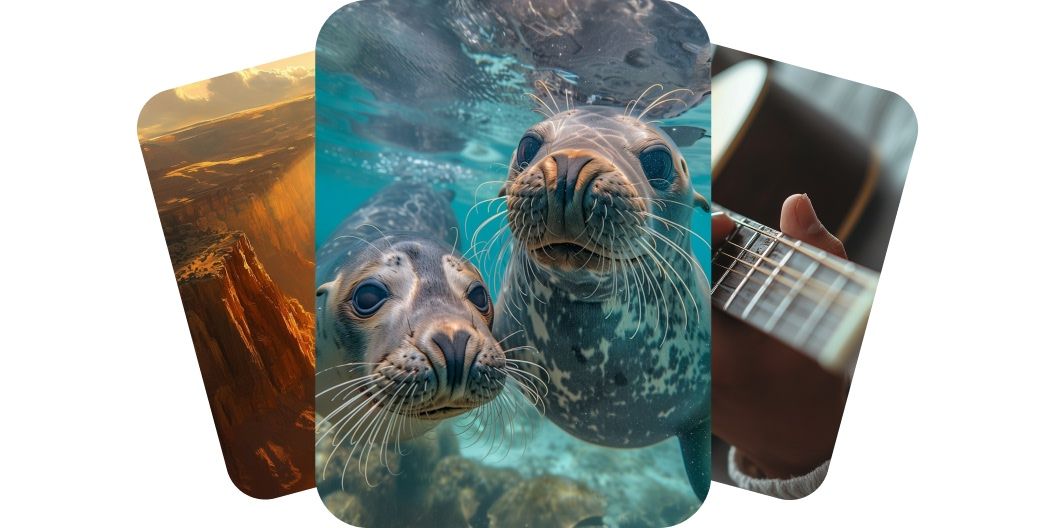
Mach aus deinen Ideen starke Videos mit Runway AI. Wähle zwischen den Modellen Gen-3 und Gen-4 und erstelle Videos in professioneller Qualität, ohne großen Aufwand.
Runway AI, auch bekannt als RunwayML, erzeugt Videos in hoher Detailtreue und lässt Kreative Filme in professioneller Qualität ohne großen Aufwand produzieren. Mit Pixelcut wählst du zwischen Modellen wie Runway Gen 3 Alpha und Runway Gen 4 Turbo. Diese Modelle liefern außergewöhnliche Details, glaubwürdige Bewegung und eine bessere Prompt-Treue, damit deine Botschaft in ganz verschiedenen Anwendungen ankommt. Mach aus deinen Ideen starke Videos mit Runway AI.
Der Video-Generator von Runway AI hält deine Figuren über verschiedene Szenen und Lichtsituationen hinweg gleich. Mit einem einzigen Referenzbild bleibt die Identität einer Figur im ganzen Video erhalten. Fürs Erzählen ist das wichtig, denn so entstehen flüssige Übergänge und eine stimmige Geschichte. Ob Kurzfilm oder Werbevideo, gleichbleibende Figuren binden die Zuschauer stärker. Fang noch heute an, Videos mit durchgehend gleichen Figuren zu erstellen.
Mit den Videomodellen von Runway AI machst du sowohl aus Bildern als auch aus Text auffällige Bewegung. Du kannst Fotos, Kunstwerke oder Produktaufnahmen mit natürlicher Tiefe und Bewegung animieren. Genauso gut startest du von einem Text-Prompt und beschreibst einfach die Szene oder die Handlung, die du sehen willst. Diese kreativen Tools machen es für jeden leicht, aus einer Idee ein Video mit Wirkung zu machen. Bring deine Ideen in Bewegung, mit einem Prompt oder einem Bild.
Die KI-Modelle von Runway folgen deinen Prompts genauer, sodass das fertige Video deiner Vorstellung sehr nahe kommt. Diese Präzision gibt dir mehr Kontrolle über Stil, Bewegung und Bildaufbau. Eine bessere Prompt-Treue bedeutet weniger Durchläufe und schnellere Produktion. Ob du die Stimmung einer Szene festlegst oder die Handlung einer Figur, die KI reagiert präzise darauf. Erreiche deine kreativen Ziele mit einer genauen Umsetzung deiner Prompts.
Für Text zu Video schreibst du einen Prompt, der die gewünschte Szene beschreibt. Für Bild zu Video lädst du ein Startbild hoch und führst die KI mit einer kurzen Beschreibung.
Sobald dein Prompt steht, erstellst du dein Video mit einem Klick auf den Senden-Button. Das Modell Runway Gen 4 Turbo ist automatisch ausgewählt.
Sieh dir dein Video in der Vorschau an und verfeinere deinen Prompt, bis es genau passt. Probiere ruhig auch andere Modelle aus und finde neue Bildsprachen.
Lade dein neues Video auf dein Gerät herunter. Es ist bereit zum Posten auf Social Media, zum Teilen mit deinem Team oder für jedes Projekt, das ansteht.
Beginnen Sie kostenlos mit der Erstellung. Upgraden Sie für mehr Credits und Funktionen.














Tolle App, einfach zu bedienen. Hilft unserem kleinen Unternehmen, Zeit und Geld zu sparen, indem es verschiedene Marketingmaterialien professionell erstellt. Danke schön.
Ich brauche einen guten Hintergrundentferner für meine Arbeit und habe ihn schon so oft ausprobiert, wie es sich anfühlt. Dieses hier ist mit Abstand das Beste. Es ist so einfach zu verwenden und die Ergebnisse sehen immer fantastisch aus. Danke Pixelcut!
Es ist erstaunlich einfach und liefert die perfekten Ergebnisse für meine Taschen und Accessoires. Es sieht so aus, als wäre es von einem professionellen Fotografen gemacht worden.