Mon application préférée
Super application, facile à utiliser. Aide notre petite entreprise à économiser du temps et de l'argent pour créer différents supports marketing de manière professionnelle. Merci.
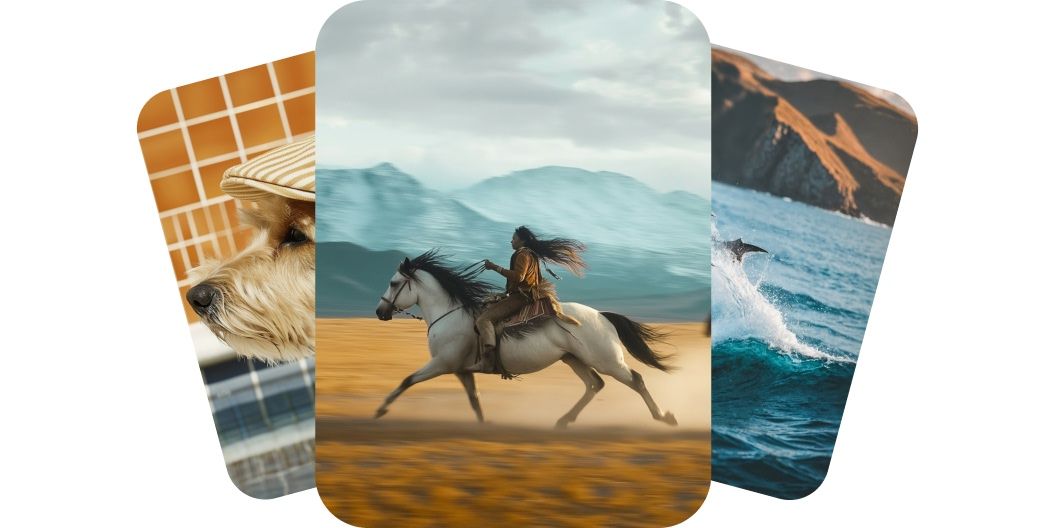
Créez des vidéos de haute qualité à partir de prompts texte ou image avec Kling AI sur Pixelcut. Choisissez parmi les meilleurs modèles et générez des clips de cinéma en quelques minutes.
Kling AI donne à vos vidéos l'allure d'un tournage professionnel. Chaque mouvement est fluide, chaque détail reste net et chaque plan s'enchaîne comme une vraie scène. Les personnages restent bien ancrés, les accessoires se comportent naturellement et la caméra glisse sans à-coups. Que vous racontiez une histoire ou présentiez un produit, le rendu est soigné et professionnel. Créez des vidéos au rendu cinéma qui marquent, sans jamais prendre une caméra en main.
Kling AI vous donne le contrôle total sans complication et vous laisse façonner chaque vidéo à votre manière. Avec plusieurs modèles au choix, décrivez la scène par le texte ou téléversez une image pour guider la première image de la vidéo. La vidéo suit votre direction artistique, avec des mouvements fluides et des visuels expressifs. Aucune timeline, aucun outil et aucune compétence en montage ne sont requis. Prenez les commandes de votre histoire et donnez vie à votre vision.
Kling livre des vidéos de haute qualité, au mouvement fluide et riches en détails, en quelques minutes. Choisissez les modèles Standard au rendu rapide ou passez aux modèles Pro et Master pour une qualité 1080p supérieure. Chaque clip est prêt à partager, avec des formats intégrés en panoramique, vertical ou carré. Vous obtenez un résultat digne d'un studio sans heures de montage ni matériel lourd. La plupart des vidéos de cinq secondes sortent en quelques minutes, de quoi créer, ajuster et publier d'une seule traite. Réalisez des vidéos de niveau professionnel plus vite que jamais.
Pixelcut réunit tous les modèles Kling AI dont vous avez besoin, des puissants moteurs 2.1 aux modèles 1.6 plus souples. Que vous cherchiez la vitesse, la fidélité ou un juste milieu, il existe une version adaptée à vos besoins. Les modèles Master et Pro visent la qualité cinéma, les modèles Standard permettent d'avancer vite et d'itérer souvent. Les nouveaux modèles arrivent dès leur sortie, votre boîte à outils reste donc prête pour la suite. Accédez à toute la gamme et gardez une longueur d'avance.
Pour le texte en vidéo, décrivez ce que vous voulez voir dans le champ de prompt. Pour l'image en vidéo, téléversez une image puis indiquez à l'IA quoi en faire.
Une fois votre prompt saisi, lancez la génération en cliquant sur le bouton d'envoi. Le modèle Kling 2.1 Master est sélectionné par défaut.
Prévisualisez votre vidéo et ajustez votre prompt jusqu'à ce que le résultat vous convienne. Testez aussi d'autres modèles Kling AI pour varier les rendus.
Téléchargez votre nouvelle vidéo sur votre appareil. Elle est prête à être publiée sur les réseaux, partagée avec votre équipe ou intégrée au projet de votre choix.
Commence à créer gratuitement. Mets à niveau pour obtenir plus de crédits et de fonctionnalités.














Super application, facile à utiliser. Aide notre petite entreprise à économiser du temps et de l'argent pour créer différents supports marketing de manière professionnelle. Merci.
J'ai besoin d'un bon outil de suppression d'arrière-plan pour mon travail et je les ai tous essayés. Celui-ci est de loin le meilleur. C'est si facile à utiliser et les résultats sont toujours incroyables. Merci Pixelcut !
C'est incroyablement simple et donne des résultats parfaits pour mes sacs et accessoires. On dirait que cela a été fait par un photographe professionnel.