Create professional videos from text with Luma’s Dream Machine
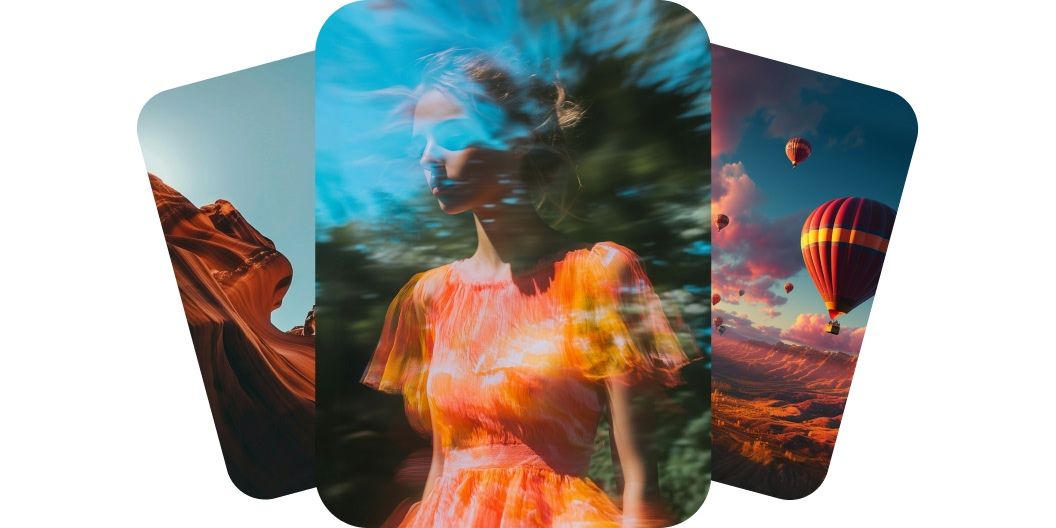
Luma Dream Machine creates professional-quality videos from text and brings your ideas to life with realistic movement and natural detail. The Luma Dream Machine v1.5 model understands depth, lighting, and motion, which helps create smooth, believable scenes. Whether it is a person walking or a camera moving through a room, the motion feels natural and cinematic. This level of realism makes each video look like it was professionally shot. Start creating today with Luma Dream Machine on Pixelcut today.
Create professional videos from text with Luma’s Dream Machine
Dream Machine turns images into smooth animations
Luma AI Dream Machine turns images into smooth animations while preserving the original composition. Upload a single image, such as a product shot or artwork, and the AI animates it without losing clarity or intent. The transitions are fluid and the motion is clean, helping make your visuals more engaging. You get motion without needing animation skills. Sign in and upload an image to try it!
Dream Machine turns images into smooth animations
Create cinematic camera movement with AI precision
Dream Machine v1.5 generates cinematic camera moves that add energy and emotion to your scenes. You can expect zooms, pans, and dolly shots that follow natural movement based on your prompt. The AI understands space and direction, so the results feel polished and intentional. Your video will look like it was created by a filmmaker with just a few words.
Create cinematic camera movement with AI precision
Generate videos with frame-to-frame consistency
Luma AI’s Dream Machine delivers frame-to-frame consistency that keeps your visuals sharp and stable from beginning to end. Characters and objects stay the same across every frame, which eliminates flickering or glitches. This makes the video more professional and better for storytelling. If you care about visual integrity, this feature will stand out. Create consistent AI videos today.
Generate videos with frame-to-frame consistency
How to create videos with Luma Dream Machine
- 1
Enter your vision or upload image
For text-to-video creation simply type your description in the prompt field. Note that to create a video from an image you’ll first need to sign in to your account.
- 2
Generate video
Once your prompt is ready, click the send button. Dream Machine will transform your words or image into a high-quality video in minutes.
- 3
Refine and reiterate
Preview your video and tweak your prompt until it looks just right. Add or remove details to explore new scenes, styles or creative directions.
- 4
Download and share
Save your finished video to your device. It’s ready to share on social, send to your team or drop into any project you’re working on.
간단하고 투명한 요금제
무료로 창작을 시작하세요. 더 많은 크레딧과 기능을 이용하려면 업그레이드하세요.
연간 요금제로 20% 절약
무료
$0
/월 (연간 청구)제한된 배경 제거
제한된 화질 향상
워터마크 없는 무료 내보내기
프로
$10$8
/월 (연간 청구)매월 600 AI 크레딧
모든 AI 모델 액세스
무제한 배경 제거
무제한 화질 향상
3 Person Team
매월 1,000회 일괄 내보내기
상업적 라이선스
가장 인기 있음
비즈니스
$30$24
/월 (연간 청구)매월 3,600 AI 크레딧
모든 AI 모델 액세스
무제한 배경 제거
무제한 화질 향상
10 Person Team
매월 2,000회 일괄 내보내기
상업적 라이선스



200,000명 이상의 크리에이터, 브랜드 및 소규모 기업이 신뢰함
창작자들이 신뢰하는











자주 묻는 질문
Luma Dream Machine is a text-to-video AI generator developed by Luma Labs. It converts written prompts or images into short video clips automatically, using artificial intelligence to create visuals from your descriptions.
To use Luma’s Dream Machine via Pixelcut, simply enter your text description above in our web app or sign in to your account to use the image-to-video feature. In just a couple of minutes, you’ll have a ready-to-use video ready to download.
Yes, videos generated on Pixelcut can be used for commercial purposes. They’re perfect for marketing materials, advertisements, or any project where you need unique video content.
No download is required. Luma Dream Machine runs on Pixelcut via our web browser app, so you can generate videos without installing any software on your device.
Pixelcut은 2백만 명이 넘는 사람들에게 사랑받고 있습니다.
최고의 배경 제거기
저는 제 작업을 위해 좋은 배경 제거기가 필요하고, 모든 것을 사용해본 것 같습니다. 이 제품이 지금까지 사용해본 것 중 가장 좋습니다. 사용하기 너무 쉽고 결과는 항상 놀랍습니다. 감사합니다 Pixelcut!
그것을 좋아한다
놀랍도록 쉬우며 가방과 액세서리에 완벽한 결과를 제공합니다. 전문 사진작가가 찍은 것 같네요.