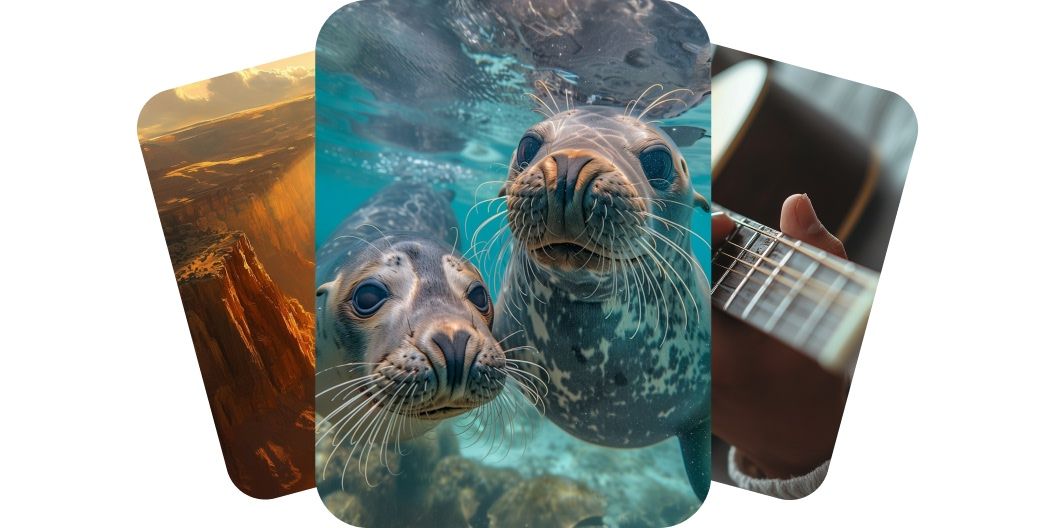
Generate high-quality videos with Runway AI models
Runway AI, also known as RunwayML, delivers high-fidelity video generation, allowing creators to produce professional-grade videos with minimal effort. With Pixelcut, you can choose from models like Runway Gen 3 Alpha and Runway Gen 4 Turbo. These models deliver exceptional detail, realistic motion, and enhanced prompt adherence, ensuring your message is conveyed effectively across various applications. Transform your ideas into stunning videos using Runway AI.
Generate high-quality videos with Runway AI models
Create videos with consistent characters across scenes
Runway AI video generator ensures your characters remain consistent across various scenes and lighting conditions. By using a single reference image, you can maintain character identity throughout your video. This feature is crucial for storytelling, allowing for seamless transitions and coherent narratives. Whether you’re creating a short film or a promotional video, character consistency enhances viewer engagement. Start creating videos with consistent characters today.
Create videos with consistent characters across scenes
Transform images & text into dynamic videos
Runway AI video generator models let you turn both images and text into eye-catching motion. You can animate photos, artwork, or product visuals with natural depth and movement. You can also start from a text prompt, describing the scene or action you want to see. These creative tools make it easy for anyone to turn an idea into high-impact video content. Turn your ideas into motion with just a prompt or picture.
Transform images & text into dynamic videos
Direct your vision with enhanced prompt adherence
Runway’s AI models exhibit improved adherence to user prompts, ensuring the generated video aligns closely with your vision. This precision allows for greater control over the content’s style, motion, and composition. Enhanced prompt adherence means fewer iterations and faster production times. Whether you’re specifying a scene’s mood or a character’s action, the AI responds accurately. Achieve your creative goals with precise prompt execution.
Direct your vision with enhanced prompt adherence
How to generate videos with Runway AI
- 1
Enter prompt or upload image
For text-to-video, enter a prompt describing the scene you want to create. For image-to-video, upload a start frame image and guide the AI with a short description.
- 2
Generate video
Once your prompt is ready, generate your video by clicking the send button. The Runway Gen 4 Turbo model is automatically selected.
- 3
Refine and reiterate
Preview your video and refine your prompt until it’s just right. Feel free to explore other models and unlock new visual possibilities.
- 4
Download and share
Download your new video to your device. It’s ready to post on socials, share with your team, or use it on any project you need.
간단하고 투명한 요금제
무료로 창작을 시작하세요. 더 많은 크레딧과 기능을 이용하려면 업그레이드하세요.
연간 요금제로 20% 절약
무료
$0
/월 (연간 청구)제한된 배경 제거
제한된 화질 향상
워터마크 없는 무료 내보내기
프로
$10$8
/월 (연간 청구)매월 600 AI 크레딧
모든 AI 모델 액세스
무제한 배경 제거
무제한 화질 향상
3 Person Team
매월 1,000회 일괄 내보내기
상업적 라이선스
가장 인기 있음
비즈니스
$30$24
/월 (연간 청구)매월 3,600 AI 크레딧
모든 AI 모델 액세스
무제한 배경 제거
무제한 화질 향상
10 Person Team
매월 2,000회 일괄 내보내기
상업적 라이선스



200,000명 이상의 크리에이터, 브랜드 및 소규모 기업이 신뢰함
창작자들이 신뢰하는











자주 묻는 질문
Runway AI, also known as RunwayML, is a generative AI platform that develops artificial intelligence models to generate videos from text descriptions or images. It enables users to produce high-quality, dynamic videos without the need for traditional filming or editing skills. By simply inputting a prompt or uploading an image, RunwayML’s advanced models can create visually compelling content in minutes.
Yes, you can upload your own images to serve as a start frame, allowing the AI to generate videos with consistent characters and backgrounds.
The time varies depending on the video’s length and complexity, but most videos are generated within a few minutes.
No, Pixelcut’s user-friendly interface allows individuals without technical backgrounds to create videos easily using Runway AI models. Simply describe the video you’d like to create, or upload an image to use as a start frame. In minutes, you’ll have a fully rendered video ready to use.
Pixelcut은 2백만 명이 넘는 사람들에게 사랑받고 있습니다.
최고의 배경 제거기
저는 제 작업을 위해 좋은 배경 제거기가 필요하고, 모든 것을 사용해본 것 같습니다. 이 제품이 지금까지 사용해본 것 중 가장 좋습니다. 사용하기 너무 쉽고 결과는 항상 놀랍습니다. 감사합니다 Pixelcut!
그것을 좋아한다
놀랍도록 쉬우며 가방과 액세서리에 완벽한 결과를 제공합니다. 전문 사진작가가 찍은 것 같네요.