Pixelcut
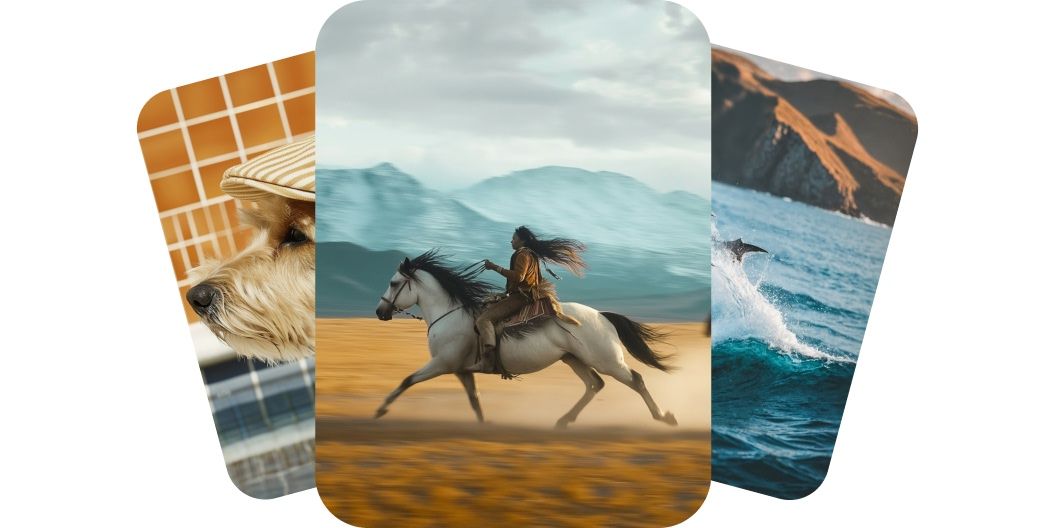
AI-generated video stills of a dog in a flat cap, a rider galloping on horseback and a leaping dolphin

Generate Videos with Kling AI

Create high-quality videos from text or image prompts using Kling AI on Pixelcut. Choose from top models and generate cinematic clips in minutes.

無料でお試し
透かしなし
7000万人に信頼されています
918,707件のレビュー
開発者API
iPhoneAndroid で利用可能

超高速

最適化されたAIパイプラインにより、数秒で素晴らしい画像を生成します。

プロ品質

あらゆるユースケースに適したプロフェッショナルグレードの画像を作成します。

幅広い用途に対応

商品写真からクリエイティブなアートまで、必要なあらゆるスタイルを生成します。

手頃な価格

無料で開始し、成長に合わせて柔軟な料金プランでスケールアップできます。

Kling AI makes your videos feel like they were shot professionally. Every movement looks smooth, every detail stays sharp, and every frame flows like a real scene. Characters stay grounded, props behave naturally, and the camera glides uninterrupted. Whether you’re telling a story or showing off a product, the results look polished and professional. Create cinematic videos that impress without picking up a camera.

Kling AI delivers cinematic motion realism

Kling AI gives you full control without complexity, letting you shape each video your way. With multiple models to choose from, you can use text to describe the scene or upload an image to guide the first frame. The video follows your creative direction with smooth moves and expressive visuals. There are no timeline, tools, or editing skills required. Take charge of your story and bring your vision to life.

Take full control with image or text to video

Kling delivers high-quality videos with smooth motion and rich detail in minutes. Choose from fast-rendering Standard models or get higher quality 1080p results with Pro and Master models. Every clip is ready to share with built-in formats for widescreen, vertical, or square. You get studio-level results without hours of editing or heavy gear. Most five-second videos generate in a few minutes, so you can create, refine, and post in one sitting. Make professional-level videos faster than ever.

Fast, high-quality rendering for any platform

Pixelcut brings together every Kling AI model you need, from powerful 2.1 engines to flexible 1.6 models. Whether you’re looking for speed, fidelity, or something in between, there’s a version that meets your needs. Use Master and Pro models for cinematic quality or stick with Standard models to move fast and iterate often. New models arrive as they launch, keeping your toolkit future-ready. Access the full range and stay ahead of the curve.

Access top Kling AI models on Pixelcut

How to use Kling AI

  1. 1

    Enter prompt or upload image

    For text-to-video, simply describe what you’d like to see in the prompt box. For image-to-video, first upload an image and give the AI direction on what to do.

  2. 2

    Generate video

    Once you’ve entered your prompt, generate your video by clicking the send button. The Kling 2.1 Master model is selected by default.

  3. 3

    Refine and reiterate

    Preview your video and refine your prompt until it’s just right. Feel free to experiment with other Kling AI models for different results.

  4. 4

    Download and share

    Download your new video to your device. It’s ready to post on socials, share with your team, or use it on any project you need.

シンプルで透明性の高い料金プラン

無料で作成を開始できます。アップグレードすると、より多くのクレジットや機能を利用できます。

年額プランで20%お得

無料

$0
/月(年額請求)
制限付き背景除去
制限付き高画質化
透かしなしの無料エクスポート

プロ

$10$8
/月(年額請求)
毎月600 AIクレジット
すべてのAIモデルへのアクセス
無制限の背景除去
無制限の高画質化
3 Person Team
月間 1,000 回のバッチエクスポート
商用ライセンス
一番人気

ビジネス

$30$24
/月(年額請求)
毎月3,600 AIクレジット
すべてのAIモデルへのアクセス
無制限の背景除去
無制限の高画質化
10 Person Team
月間 2,000 回のバッチエクスポート
商用ライセンス
20万人以上のクリエイター、ブランド、中小企業に信頼されています

クリエイティブな人々に信頼されています

Adidas logo
Airbnb logo
Apple logo
H&M logo
Google logo
Gucci logo
Nike logo
Sephora logo

よくある質問

Pixelcutは200万人以上に愛されています

  • 私のお気に入りのアプリ

    素晴らしいアプリ、使いやすい。中小企業がさまざまなマーケティング資料を専門的に作成するための時間と費用を節約できるようになります。ありがとう。
    シェイリン D.
  • 最高の背景除去剤

    私は仕事のために良い背景除去ツールが必要で、すべて試したように感じます。これが今までで一番です。使いやすく、結果はいつも素晴らしいです。ありがとうPixelcut!
    キラ・H
  • 大好きです

    驚くほど簡単で、バッグやアクセサリーに完璧な結果が得られます。プロのカメラマンが撮影したようです。
    メアリー J.









