Pixelcut
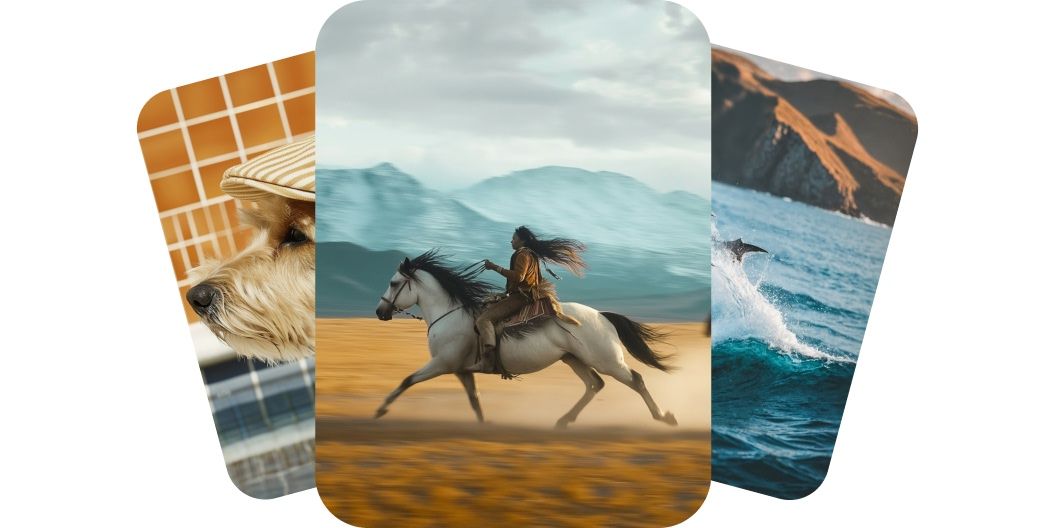
AI-generated video stills of a dog in a flat cap, a rider galloping on horseback and a leaping dolphin

Generate Videos with Kling AI

7천만 명이 신뢰하는
리뷰 171,800개
개발자 API
iPhoneAndroid에서 사용 가능

Kling AI makes your videos feel like they were shot professionally. Every movement looks smooth, every detail stays sharp, and every frame flows like a real scene. Characters stay grounded, props behave naturally, and the camera glides uninterrupted. Whether you’re telling a story or showing off a product, the results look polished and professional. Create cinematic videos that impress without picking up a camera.

Kling AI delivers cinematic motion realism

Kling AI gives you full control without complexity, letting you shape each video your way. With multiple models to choose from, you can use text to describe the scene or upload an image to guide the first frame. The video follows your creative direction with smooth moves and expressive visuals. There are no timeline, tools, or editing skills required. Take charge of your story and bring your vision to life.

Take full control with image or text to video

Kling delivers high-quality videos with smooth motion and rich detail in minutes. Choose from fast-rendering Standard models or get higher quality 1080p results with Pro and Master models. Every clip is ready to share with built-in formats for widescreen, vertical, or square. You get studio-level results without hours of editing or heavy gear. Most five-second videos generate in a few minutes, so you can create, refine, and post in one sitting. Make professional-level videos faster than ever.

Fast, high-quality rendering for any platform

Pixelcut brings together every Kling AI model you need, from powerful 2.1 engines to flexible 1.6 models. Whether you’re looking for speed, fidelity, or something in between, there’s a version that meets your needs. Use Master and Pro models for cinematic quality or stick with Standard models to move fast and iterate often. New models arrive as they launch, keeping your toolkit future-ready. Access the full range and stay ahead of the curve.

Access top Kling AI models on Pixelcut

How to use Kling AI

  1. 1

    Enter prompt or upload image

    For text-to-video, simply describe what you’d like to see in the prompt box. For image-to-video, first upload an image and give the AI direction on what to do.

  2. 2

    Generate video

    Once you’ve entered your prompt, generate your video by clicking the send button. The Kling 2.1 Master model is selected by default.

  3. 3

    Refine and reiterate

    Preview your video and refine your prompt until it’s just right. Feel free to experiment with other Kling AI models for different results.

  4. 4

    Download and share

    Download your new video to your device. It’s ready to post on socials, share with your team, or use it on any project you need.

창작자들이 신뢰하는

Adidas logo
Airbnb logo
Apple logo
H&M logo
Google logo
Gucci logo
Nike logo
Sephora logo

자주 묻는 질문

Pixelcut은 2백만 명이 넘는 사람들에게 사랑받고 있습니다.

  • 내가 가장 좋아하는 앱

    훌륭한 앱, 사용하기 쉽습니다. 소규모 기업이 시간과 비용을 절약하여 다양한 마케팅 자료를 전문적으로 만들 수 있도록 도와줍니다. 감사합니다.
    셰린 D.
  • 최고의 배경 제거기

    저는 제 작업을 위해 좋은 배경 제거기가 필요하고, 모든 것을 사용해본 것 같습니다. 이 제품이 지금까지 사용해본 것 중 가장 좋습니다. 사용하기 너무 쉽고 결과는 항상 놀랍습니다. 감사합니다 Pixelcut!
    키라 H.
  • 그것을 좋아한다

    놀랍도록 쉬우며 가방과 액세서리에 완벽한 결과를 제공합니다. 전문 사진작가가 찍은 것 같네요.
    메리 J.










