Ứng dụng yêu thích của tôi
Ứng dụng tuyệt vời, dễ sử dụng. Giúp doanh nghiệp nhỏ của chúng tôi tiết kiệm thời gian và tiền bạc để tạo ra các tài liệu tiếp thị chuyên nghiệp. Cảm ơn bạn.
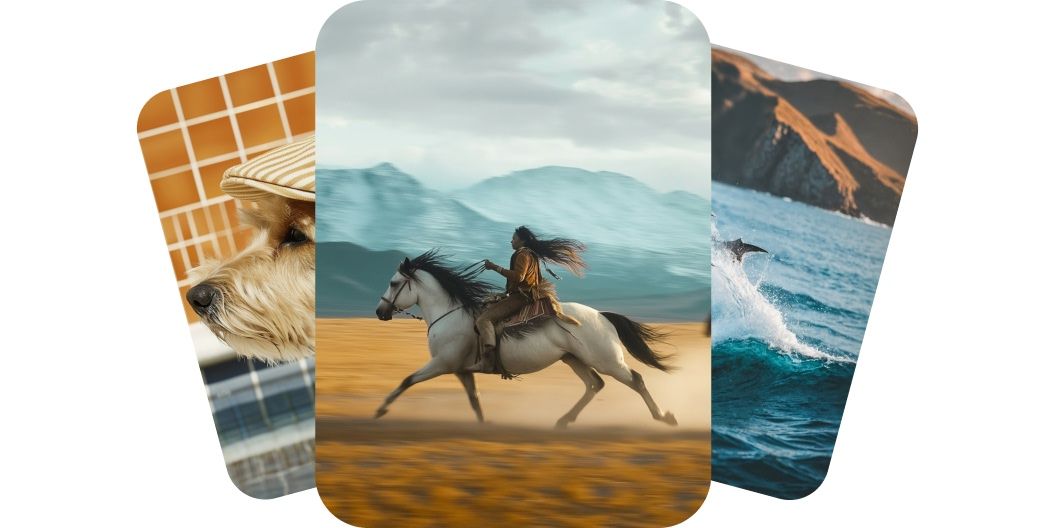
Tạo video chất lượng cao từ prompt văn bản hoặc hình ảnh bằng Kling AI trên Pixelcut. Chọn trong số các mô hình hàng đầu và dựng clip điện ảnh chỉ trong vài phút.
Kling AI làm cho video của bạn trông như được quay chuyên nghiệp. Mọi chuyển động đều mượt, mọi chi tiết đều giữ được độ sắc nét, và từng khung hình trôi đi như một cảnh quay thật. Nhân vật luôn bám chắc mặt đất, đạo cụ chuyển động tự nhiên, máy quay lướt đi không hề bị ngắt quãng. Dù bạn đang kể một câu chuyện hay giới thiệu sản phẩm, kết quả vẫn chỉn chu và chuyên nghiệp. Hãy dựng những video mang chất điện ảnh mà không cần cầm tới máy quay.
Kling AI trao cho bạn toàn quyền kiểm soát mà không hề rắc rối, để bạn nắn từng video theo ý mình. Có nhiều mô hình để chọn, nên bạn dùng văn bản mô tả khung cảnh hoặc tải một tấm ảnh lên để dẫn dắt khung hình đầu tiên. Video sẽ đi theo đúng hướng sáng tạo của bạn, với chuyển động mượt và hình ảnh giàu biểu cảm. Không cần dòng thời gian, không cần bộ công cụ, cũng không cần kỹ năng dựng phim. Hãy nắm lấy câu chuyện của bạn và biến hình dung trong đầu thành video.
Kling cho ra video chất lượng cao với chuyển động mượt và chi tiết dày dặn chỉ trong vài phút. Bạn chọn mô hình Standard để kết xuất nhanh, hoặc chọn Pro và Master để có kết quả 1080p chất lượng cao hơn. Mỗi clip đều sẵn sàng để chia sẻ nhờ các định dạng dựng sẵn cho khung ngang, khung dọc hay khung vuông. Bạn nhận được kết quả như trong studio mà không mất hàng giờ dựng phim hay phải sắm thiết bị nặng nề. Phần lớn video dài năm giây được tạo xong trong vài phút, nên bạn dựng, chỉnh và đăng gọn trong một lần ngồi. Làm video ở mức chuyên nghiệp nhanh hơn bao giờ hết.
Pixelcut gom về đủ những mô hình Kling AI mà bạn cần, từ các engine 2.1 mạnh cho tới các mô hình 1.6 linh hoạt. Dù bạn cần tốc độ, cần độ trung thực hay cần một điểm cân bằng ở giữa, luôn có một phiên bản hợp với bạn. Dùng Master và Pro khi muốn chất lượng điện ảnh, hoặc bám lấy Standard để đi nhanh và thử đi thử lại nhiều lần. Mô hình mới sẽ xuất hiện ngay khi ra mắt, nên bộ công cụ của bạn luôn có sẵn thứ mới nhất. Hãy dùng trọn dải mô hình này cho dự án của bạn.
Nếu muốn tạo video từ văn bản, bạn chỉ cần mô tả điều mình muốn thấy trong ô prompt. Nếu muốn tạo video từ ảnh, hãy tải ảnh lên trước rồi cho AI biết bạn muốn làm gì với ảnh đó.
Sau khi đã nhập xong prompt, bạn nhấn nút gửi để bắt đầu dựng video của mình. Mô hình Kling 2.1 Master được hệ thống chọn sẵn theo mặc định.
Xem trước video rồi chỉnh lại prompt cho đến khi ưng ý. Bạn cứ thoải mái thử thêm những mô hình Kling AI khác để xem chúng cho ra kết quả khác nhau thế nào.
Tải video mới về thiết bị của bạn. Video đã sẵn sàng để đăng lên mạng xã hội, gửi cho đồng nghiệp hoặc dùng cho bất kỳ dự án nào bạn đang làm.
Bắt đầu sáng tạo miễn phí. Nâng cấp để nhận thêm tín dụng và tính năng.














Ứng dụng tuyệt vời, dễ sử dụng. Giúp doanh nghiệp nhỏ của chúng tôi tiết kiệm thời gian và tiền bạc để tạo ra các tài liệu tiếp thị chuyên nghiệp. Cảm ơn bạn.
Tôi cần một công cụ xóa nền tốt cho công việc của mình và tôi đã thử qua tất cả. Cái này là tốt nhất cho đến nay. Nó rất dễ sử dụng và kết quả luôn tuyệt vời. Cảm ơn Pixelcut!
Nó cực kỳ dễ dàng và mang lại kết quả hoàn hảo cho túi xách và phụ kiện của tôi. Nó trông như thể được thực hiện bởi một nhiếp ảnh gia chuyên nghiệp.