Ứng dụng yêu thích của tôi
Ứng dụng tuyệt vời, dễ sử dụng. Giúp doanh nghiệp nhỏ của chúng tôi tiết kiệm thời gian và tiền bạc để tạo ra các tài liệu tiếp thị chuyên nghiệp. Cảm ơn bạn.
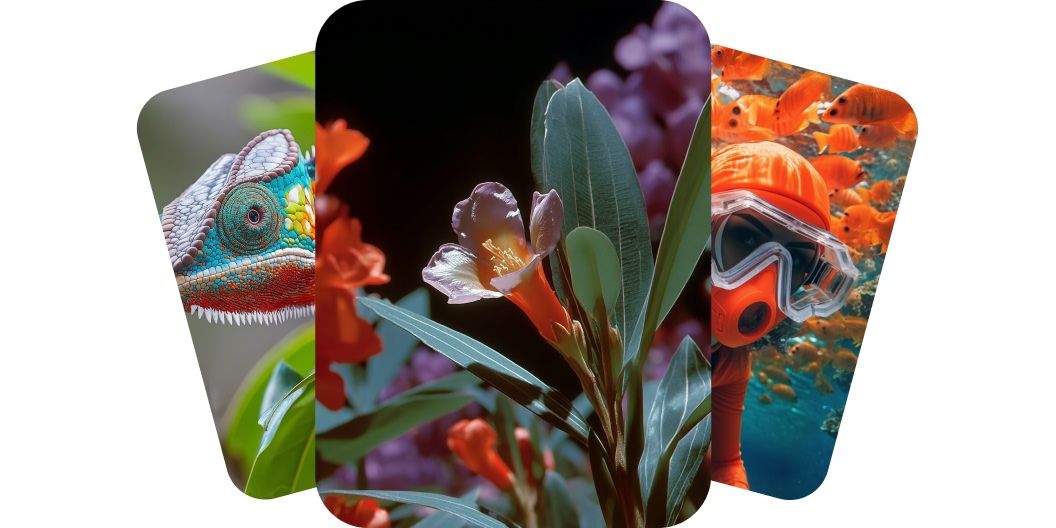
Tạo video AI ngay lập tức từ prompt văn bản hoặc hình ảnh bằng công cụ của Pixelcut. Dùng nhiều mô hình AI trên cùng một nền tảng để có video chất lượng cao.
Công cụ của Pixelcut khiến việc dựng video trở nên nhẹ nhàng với tất cả mọi người. Công cụ này dùng AI tiên tiến để biến ý tưởng của bạn thành video chỉn chu mà không phải qua khâu sản xuất rườm rà như trước. Nếu bạn chưa từng dựng video bao giờ thì cũng đừng lo, AI lo hết từ khâu tạo cảnh cho tới các đoạn chuyển. Bạn tiết kiệm được hàng giờ quay và dựng. Bạn nhận về kết quả chất lượng như trong studio chỉ trong một phần nhỏ thời gian. Hàng triệu người sáng tạo đã chọn cách làm video nhanh hơn và thông minh hơn. Bắt đầu dựng video với công cụ tạo video AI của Pixelcut ngay bây giờ.
Với Pixelcut, bạn biến câu chữ thành một chuỗi hình ảnh sống động, mang chất điện ảnh, chỉ trong vài giây. Hãy tả lại bầu không khí, hành động hay tâm trạng mà bạn đang hình dung, rồi xem từng con chữ chuyển thành chuyển động với độ chính xác đáng nể. Không cần máy quay, không cần dòng thời gian, cũng không vướng rào cản kỹ thuật nào, chỉ có sự sáng tạo chảy thẳng từ bàn phím lên màn hình. Tạo đi tạo lại thoải mái, chỉnh ngay trong lúc làm và chia sẻ tác phẩm của bạn chỉ bằng một cú nhấp. Dựng video chưa bao giờ nhanh và dễ đến thế. Hãy tả lại hình dung của bạn trong ô prompt và biến câu chữ thành những khung cảnh đẹp chỉ trong vài giây.
Với Pixelcut, việc tạo video AI từ ảnh cho phép người sáng tạo làm những tấm ảnh tĩnh của mình chuyển động và sống dậy. Bạn tải lên một tấm ảnh chụp, một bản thiết kế hay một tác phẩm số, rồi AI sẽ dựng một video bắt đầu từ chính tấm ảnh đó. Tính năng này rất hợp với nghệ sĩ và người làm nội dung muốn thêm chuyển động cho tranh minh họa hoặc ảnh sản phẩm. Bạn thử tưởng tượng một tấm ảnh duy nhất biến thành đoạn clip ngắn mang chất điện ảnh xem sao? Đoạn clip đó kéo được sự chú ý và kể một câu chuyện dày dặn hơn hẳn so với một tấm ảnh đứng yên. Hãy nâng các dự án sáng tạo của bạn lên bằng cách biến hình ảnh thành những thước phim chuyển động.
Hãy dựng video có âm thanh và tiếng động bằng mô hình Veo 3 trên Pixelcut. Mô hình Veo 3 hòa âm thanh chất lượng cao thẳng vào clip của bạn, khiến mỗi video cuốn hút hơn và cho người xem cảm giác đắm chìm hơn. Bạn chỉ cần tả lại khung cảnh mình muốn dựng, AI sẽ tự động xếp nhạc nền cùng tiếng động môi trường khớp nhịp hoàn hảo, cho mỗi cảnh một độ chỉn chu như phim. Dù bạn đang làm một bản demo sản phẩm nhanh hay các reel cho mạng xã hội, bạn vẫn giữ được sự chú ý mà không phải đụng tới dòng thời gian. Hãy tạm biệt những thước phim câm lặng và chào đón trải nghiệm trọn vẹn.
Với Pixelcut, bạn chọn được trong số những mô hình dựng video hàng đầu như Hailuo AI, Kling AI và Luma Dream Machine, nên bạn điều chỉnh được phong cách lẫn chất lượng của từng video theo đúng nhu cầu. Nền tảng của chúng tôi tích hợp những mô hình dựng video mới nhất từ các tên tuổi trong ngành như Google, RunwayML, Luma và nhiều bên khác. Dù bạn cần một khung cảnh chân thực hay một đoạn hoạt hình đã được cách điệu, luôn có một mô hình AI hợp với việc đó. Hãy thử qua nhiều mô hình khác nhau để đạt đúng vẻ ngoài và cảm giác mà bạn hình dung cho từng dự án. Tải ảnh lên hoặc nhập phần mô tả của bạn để bắt đầu.
Đừng để tỉ lệ khung hình giới hạn nơi bạn chia sẻ nội dung của mình. Từ video dọc quay bằng điện thoại cho tới clip 16:9 màn ảnh rộng, mỗi mô hình đều đi kèm những tỉ lệ khung hình đã chọn sẵn. Nhờ vậy người sáng tạo có thêm lựa chọn để dựng video cho nhiều nền tảng cùng lúc, trong đó có TikTok hay YouTube. Hãy giữ sự hiện diện nhất quán trên mọi kênh bằng những video được định dạng chuẩn chỉnh. Bắt đầu ngay hôm nay.
Nhập vào ô prompt một phần mô tả thật chi tiết về những gì bạn muốn thấy trong video. Nếu muốn dựng video từ ảnh, hãy chọn một mô hình có hỗ trợ hình ảnh rồi tải lên tấm ảnh mà bạn muốn dùng làm khung hình đầu tiên.
Chọn một trong những mô hình mà chúng tôi hỗ trợ, gồm Kling, Veo, Runway, Hailuo và nhiều mô hình khác. Nhờ vậy bạn thử được nhiều lựa chọn và thấy mô hình nào hợp với nhu cầu của mình nhất. Nếu muốn dùng ảnh, bạn hãy chọn một mô hình có hỗ trợ tải ảnh lên.
Công cụ của chúng tôi sẽ dựng video dựa trên phần mô tả, ảnh tham chiếu, tỉ lệ khung hình và số lượng video mà bạn yêu cầu. Chỉ sau vài giây, bạn đã có sẵn những video dùng được ngay và dùng được cho cả mục đích thương mại!
Khi đã hài lòng với kết quả, bạn chỉ cần tải video về máy. Bạn dùng nó cho mạng xã hội, cho hoạt động marketing hay cho bất kỳ dự án nào mình đang theo đuổi.
Bắt đầu sáng tạo miễn phí. Nâng cấp để nhận thêm tín dụng và tính năng.














Ứng dụng tuyệt vời, dễ sử dụng. Giúp doanh nghiệp nhỏ của chúng tôi tiết kiệm thời gian và tiền bạc để tạo ra các tài liệu tiếp thị chuyên nghiệp. Cảm ơn bạn.
Tôi cần một công cụ xóa nền tốt cho công việc của mình và tôi đã thử qua tất cả. Cái này là tốt nhất cho đến nay. Nó rất dễ sử dụng và kết quả luôn tuyệt vời. Cảm ơn Pixelcut!
Nó cực kỳ dễ dàng và mang lại kết quả hoàn hảo cho túi xách và phụ kiện của tôi. Nó trông như thể được thực hiện bởi một nhiếp ảnh gia chuyên nghiệp.