My favorite app
Great app, easy to use. Helps our small business save time and money to create different marketing materials professionally. Thank you.
Set your photo on a green background in Pixelcut, from muted green for a product shot to solid chroma green for compositing. Try it for free.
Grab a selfie, a pet photo or a product shot from your phone or computer. The background behind your subject can be as messy as you like. The AI handles it.
Pixelcut’s AI separates your subject from the old background on its own. Then comes the fun part, styling your photo the way you picture it.
Find the color picker under the Background options. Choose any green you want, from a bright lime to a calm forest green. Play with shades until it fits your idea.
Download your photo on green and drop it into your video edit, product listing or next post. Add a soft shadow under a product first if you want extra depth.
Use the photo you have when the background is the part you need to change. In Pixelcut, you can give your subject a green setting that fits the finished image. Keep the expression, detail or framing you got in the original shot. That can save you from taking the photo again just to get a different background for the same subject.

Give product photos a fresh, natural look against muted green. Try that shade behind skincare packaging to set a softer tone for a shop collection. Use a lighter green if dark packaging gets lost against a deeper backdrop. Carry one green through the collection to give photos shot on different days a shared look on your storefront. Each product remains easy to recognize.

Make a profile picture feel relaxed with a soft green backdrop. Use sage for a quiet look or pick mint for a lighter touch. Take a portrait you already like and choose a green that leaves your face easy to see. Use the finished photo as a consistent image across the places people are most likely to look you up.

Get a still photo ready for a video edit without setting up a green screen. Choose a flat chroma green in Pixelcut’s Background color picker. Download the finished green screen photo. Bring it into your video or design app and use the color key to remove the backdrop. Use the same photo cutout across a series of edits by compositing the subject into different shots.

Put your subject in a setting made for the photo. Use Pixelcut’s AI Background Generator to describe the place and mood you want in a text prompt. Give the subject more context when a single color does not carry the whole idea. Change your description to explore a different direction. Keep working from the same source photo as you try each backdrop.

Keep a collection of photos on the same green using the Bulk Background Changer with Pixelcut Pro. Set the green in the web tool. Apply that same shade across the set. For automation, make Pixelcut’s Background Remover API the background removal step in your image workflow. Your workflow then places each cutout on that same green before you export the finished set.

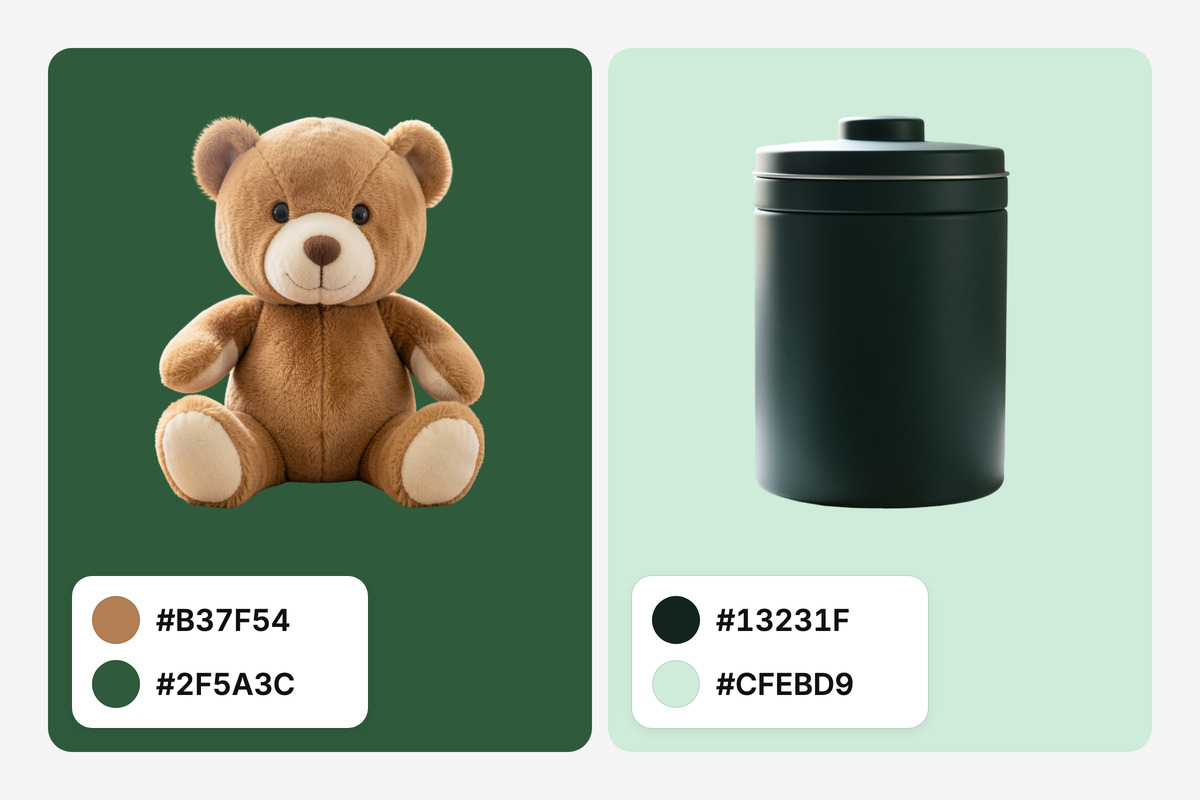
A green backdrop works when you want a frame to feel natural or grounded. Muted green suits a subject with plenty of color already. Darker green gives warm neutrals such as tan and cream clearer edges. Plants and green packaging stand out best on a shade that is clearly lighter or darker than they are. A pale mint backdrop, for example, can help a dark green object stay visible at the edges.
Trusted by creatives at











Great app, easy to use. Helps our small business save time and money to create different marketing materials professionally. Thank you.
I need a good background remover for my work and I've been through them all it feels like. This one is the best by far. It's so easy to use and the results always look amazing. Thank you Pixelcut!
It's amazingly easy and gives the perfect results for my bags and accessories. It looks like it was done by a professional photographer.